Profile Photo Maker, Translating Entire Chats, Emoji Categories and More
Telegram's first update of the year adds 10 major features by way of a warm-up exercise.
Profile Picture Maker
You can quickly turn any sticker or animated emoji into a profile picture for your accounts, groups or channels. Everyone can use animated and custom emoji for these pictures, even if they don't have Telegram Premium.
You can set or suggest profile pictures for your contacts – try editing a contact's info on Telegram.
 Translating Entire Chats
Premium users can now translate entire chats, groups and channels in real time by tapping the Translate bar at the top. The options menu lets you hide the bar and control which languages are translated.
All users can translate individual messages by selecting them and tapping 'Translate'.
Emoji Categories
Stickers and emoji are now sorted by categories like 
 or
or  in the panel and when choosing reactions or statuses. Hold any emoji to zoom in and get a better look before sending.
Telegram users can send more than a million different stickers and emoji, but choosing the right one doesn't have to be a full-time job.
Network Usage
You can see how much data has been used by Telegram with detailed pie charts for Wi-Fi and mobile data – and adjust your auto-download settings to suit your data plan.
Storage Usage received a similar upgrade last month. At this rate, we will soon run out of things that could be presented as neat pie charts and still aren't.
Auto-Save Incoming Media
You can control when media is saved automatically to your gallery based on its size, type and which chat it was received from. This menu now also supports exceptions, so you can only save exactly what you want.
With Telegram, there's no need to store everything on your device. Media and documents can be removed from your phone's storage and re-downloaded from your Telegram cloud at any time.
Granular Media Permissions
Admins can choose whether group members are allowed to send 9 distinct media types – like photos, voice or video messages. They can also disable text messages to create media-only groups.
At long last, voice notes only or quiz-only communication is possible without constant admin vigilance.
Annual Premium Subscription
You can save up to 40% on your Telegram Premium subscription by pre-paying for a year of exclusive features.
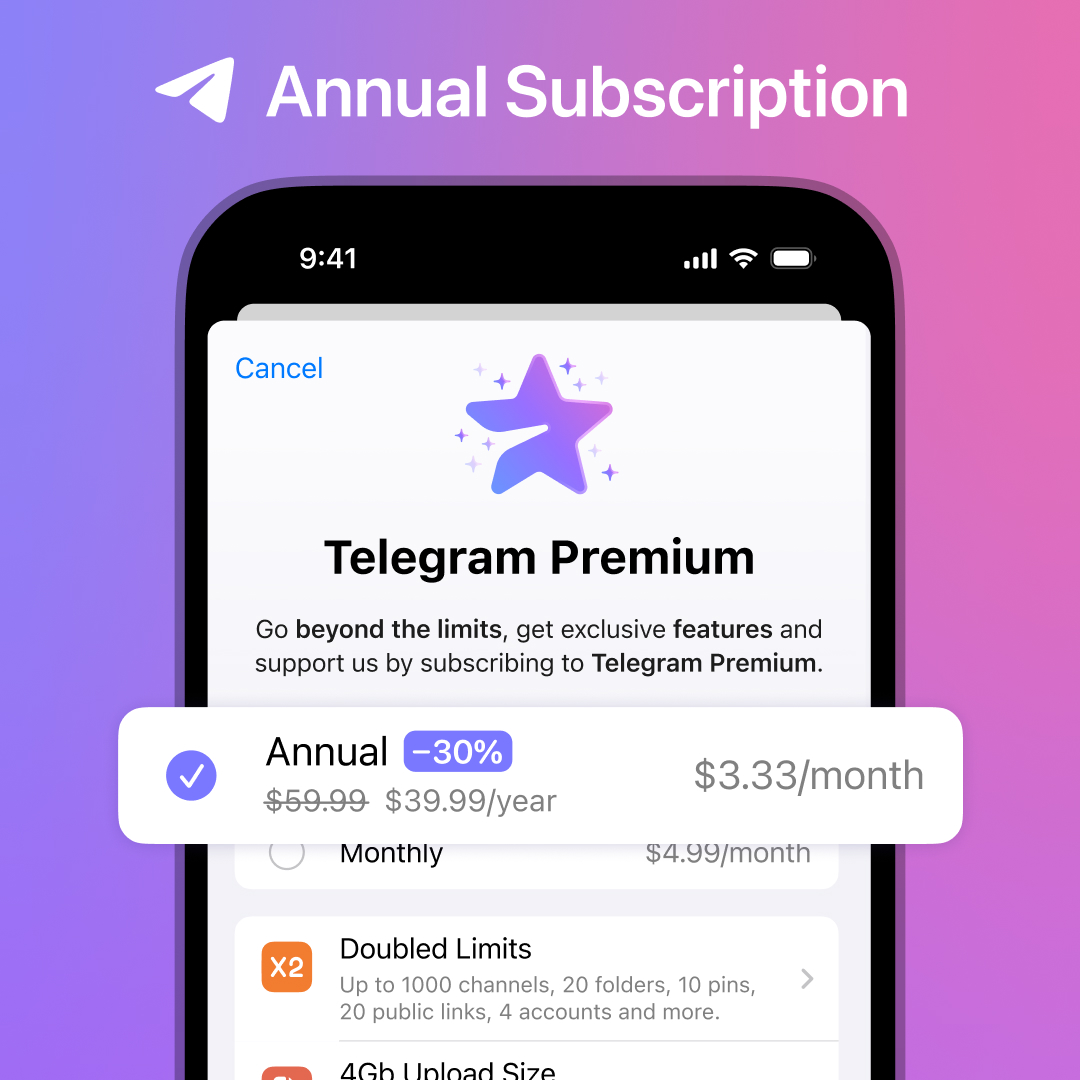
Now that you have a full year of premium ahead, why not gift a few months to friends as well?
Chat Selection for Bots
Bot developers can add special buttons which help users select groups, channels or people that meet predefined criteria.
For example, this can be used to quickly add the bot to a group where the user is an admin and topics are enabled.
Bot developers can find more detailed info in the manual and on @BotNews.
Re-Login with Apple and Google ID
Logged out users can quickly log back in using their Apple or Google ID without entering an SMS code. If you have a 2-Step Verification password set, you'll still need to enter it.
New Custom Emoji
No update is complete without 10 new packs of custom emoji from Telegram artists. This time we've included several hundred icons specially designed for group and profile pictures.
You can browse and add any of these packs right from the new trending section at the top of your emoji panel.
New Interactive Emoji
Our animators added new interactive versions of 


 . Send any of them in 1-on-1 chats, then tap to unleash a full-screen effect for you and your partner. Everyone can also use these emoji as reactions.
Did we hear 'get some rest'? Too late, we're already busy working on the next update.
February 3, 2023
The Telegram Team
Other News

환영 메시지, 메시지 내 버튼 및 서명된 선물

리치 텍스트 에디터, 커뮤니티, 그룹 내 휘발성 메시지, 3억 5천만 개의 GIF

스마트워치 앱, 봇을 위한 리치 텍스트, 그룹을 위한 AI 가디언, 그리고 그 외에도 다양한 기능
