Similar Channels, Reposting Stories, and 9 More Features
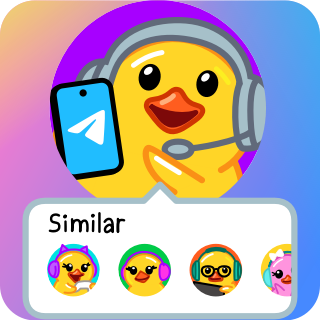

Today's update lets you find similar channels to those you follow, repost stories from friends and channels, and add video messages to stories. We've also added profile colors, wallpapers for both sides, story stats and custom reactions for channels, voice transcription for everyone and much more.
Similar Channels
Hundreds of millions follow Telegram channels to keep up with latest news, entertainment content and AI-generated pictures of six-fingered cats.
To make discovering channels easier, when you join a channel, you'll now see a list of similar public channels.
Only public channels appear in the list, they are selected automatically based on similarities in their subscriber bases.
You can also access Similar Channels from a channel's profile.
Reposting Stories
You can repost stories from your friends and favorite channels to your page, increasing their audience in just two taps.
Reposting a story lets you add extra content like text, audio or even a video comment – along with a separate visibility setting for your repost.
To repost a story, tap the share arrow and select 'Repost Story' – to protect privacy, only stories that are visible to 'Everyone' can be reposted.
Video Messages on Stories
When posting a story, you can now add a video message to supply commentary or simply make a face. Video messages can be resized and moved around the screen, as well as along the time axis to start or end at any frame. The creative possibilities are endless — from giving backstory to a photo to creating a video conversation with yourself as different characters.
Stories you repost also support video messages – so you can share your thoughts on a trending topic or join a conga line of creators reposting each other.
To record a video message, hold the camera icon in the story editor. Hold on the video track at the bottom of the screen to control volume.
 Profile Colors
Our previous update let Premium users choose a color for their name, links they send and replies to their messages.
Starting today, Telegram Premium also lets you set a unique color combination with logos (like these or these) for your profile to make the page stand out.
To customize your messages or profile, go to Settings > Chat Settings > Change Your Color on Android. On iOS, it's under Settings > Appearance > Your Color.
Wallpapers for Both Sides
Anyone can set custom wallpapers for individual chats – making each conversation easy to recognize with different themes and your favorite photos.
Now, Premium users can set a wallpaper for both sides, applying the same appearance for both themselves and their chat partner.
To set a custom wallpaper in any 1-on-1 chat, tap ⋮ (on iOS, open the user's profile, then select ⋯) > Change Wallpaper.
Voice-to-Text for Everyone
Since 2022, Premium users have been able to transcribe voice and video messages – helping them quickly see what was said or even translate audio in different languages.
With this update, all users can convert up to 2 messages per week into text – simply tap the →A icon to try it out.
Note: This feature will be rolling out gradually and may not be available everywhere immediately.
Telegram Premium still allows for unlimited voice-to-text conversion.
Story Stats for Channels
Channels that are able to post stories can now see statistics for story views, shares and reactions – with detailed graphs to track their reach and performance.
Story stats can be seen by tapping ⋮/⋯ when viewing your story, or in Channel Info > ⋮/⋯ > Statistics.
Channel stats, boosts and giveaway settings are easier to reach via Channel Info > Edit > Statistics and Boosts.
Custom Reactions for Channels
Channel admins have a new interface for managing reactions – where they can add or remove specific emoji.
In addition to standard reactions, channels can also add custom emoji – getting 1 custom reaction for each level they have.
Channel stats now show a reaction sentiment graph, based on the emoji used to react to its posts. It tracks positive and negative for emotional equivalents of  /
/  and
and  /
/  , and 'other' for the more ambigious options like
  ,
,  or
or  .
.
Code Highlighting in Messages
Thanks to the winner of a recent coding contest, all Telegram apps are now able to detect the coding language and highlight the syntax in messages sent with ```code formatting``` – so you can finally see the difference between Java and C#. 
Improvements for Topics
In groups with Topics enabled, your app will save your view preference of View as Messages or View as Topics when you open the group again.
Thanos Snap Effects on iOS
Auto-deleted messages on iOS have an awesome animation when their timer runs out – watch as they get vaporized into a million pixels before disappearing forever.
You can enable an auto-delete timer for messages in individual chats, or across your entire account. The quickest way to see the new animation in action is by setting up a short self-destruct timer in a Secret Chat.
That's all for today. We'll continue working on similar updates full of features to explore.
November 30, 2023
The Telegram Team
Other News

환영 메시지, 메시지 내 버튼 및 서명된 선물

리치 텍스트 에디터, 커뮤니티, 그룹 내 휘발성 메시지, 3억 5천만 개의 GIF

스마트워치 앱, 봇을 위한 리치 텍스트, 그룹을 위한 AI 가디언, 그리고 그 외에도 다양한 기능
